🛡
Till control and sales integrity
The "Control" tab group: suspicious receipts, deleted-item audit, cashier behaviour, anomalies and shift reconciliation — how the bot hunts for "sales past the till" and how to read what it finds.
1
What the "Control" group contains
Six tabs: ⚠️ Suspicious (receipts with deleted items over 3 days), 🔍 Cashiers (behaviour patterns), 🧾 Till ops (what happened during shifts), ⚠️ Anomalies (statistical outliers), 🔄 Reconciliation (shift till vs Poster) and 🕵️ Receipts (the deleted-items audit, owner/admin only).
These are the "look with your own eyes" screens. The same checks also run on their own as alerts: receipt refunds, negative receipts, hourly suspicious-receipt scans, non-fiscal sales — all delivered to Telegram immediately, with toggles in "🔔 Notifications".
These are the "look with your own eyes" screens. The same checks also run on their own as alerts: receipt refunds, negative receipts, hourly suspicious-receipt scans, non-fiscal sales — all delivered to Telegram immediately, with toggles in "🔔 Notifications".
⚠️ The one rule for the whole group: a single odd receipt is not theft (a guest changing their mind is normal). The signal is a pattern for one person across several weeks.
2
Suspicious receipts
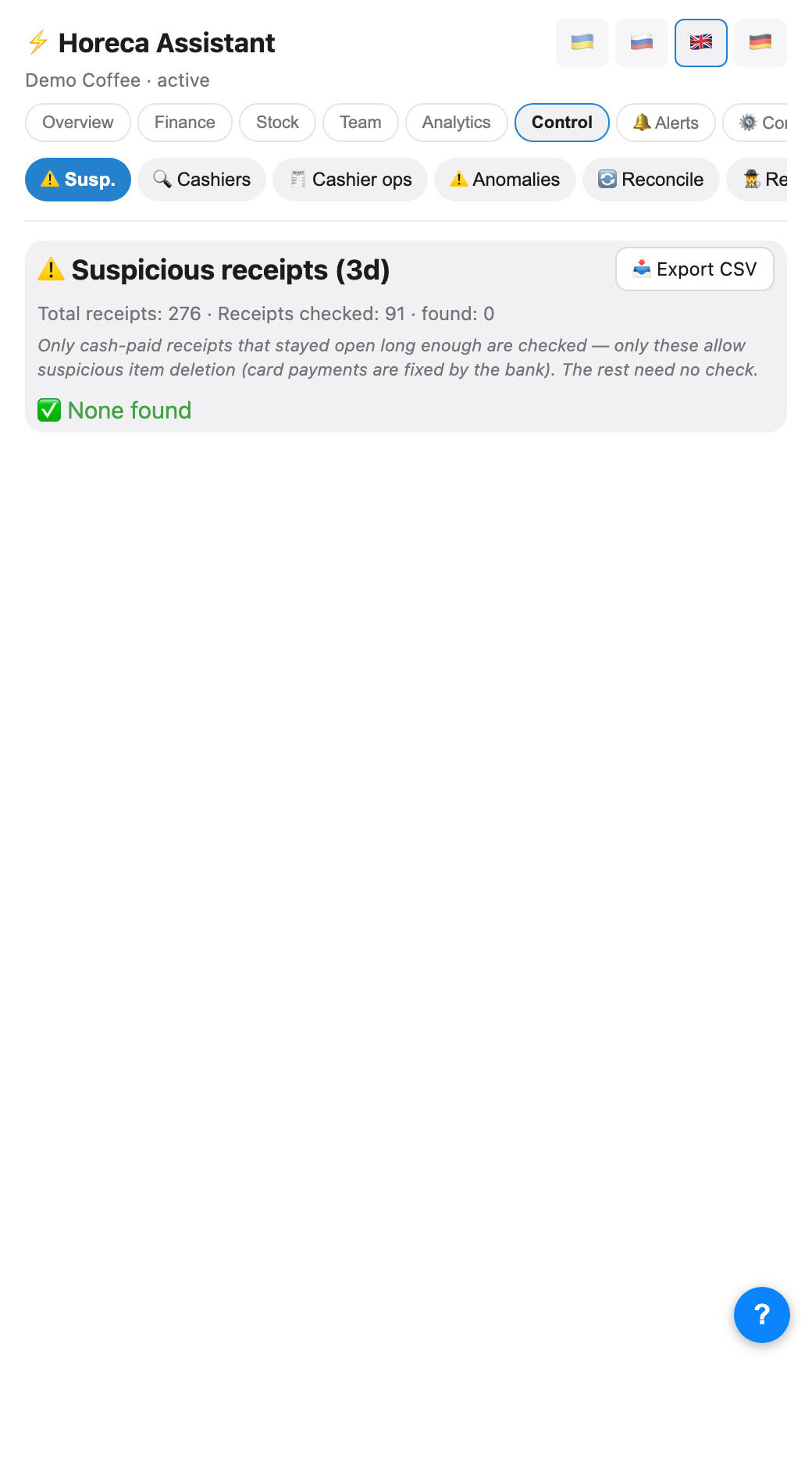
The ⚠️ Suspicious tab hunts the classic "past the till" pattern: an item added to a receipt, held, then deleted before closing. Only receipts paid in cash and open long enough are checked — with a card the bank records the amount, so that scheme cannot work there, and the screen says so honestly (total receipts / checked / found).
Each hit shows the item, the amount, the cashier and a timeline: when it was added, when deleted, and how long it sat in the receipt. The 📥 Export CSV button downloads a week's list.
Each hit shows the item, the amount, the cashier and a timeline: when it was added, when deleted, and how long it sat in the receipt. The 📥 Export CSV button downloads a week's list.
3
🕵️ Receipts — the deleted-items audit
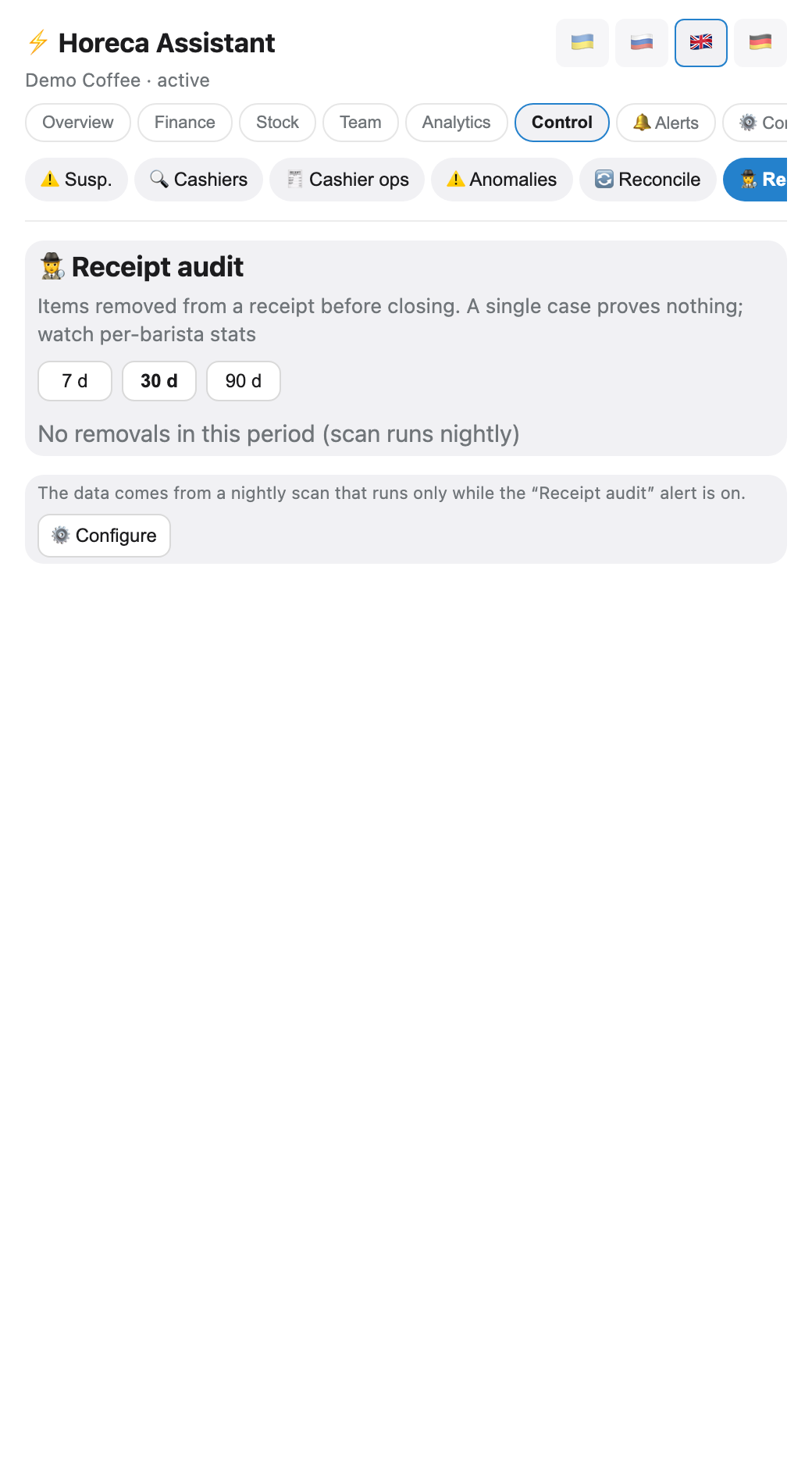
The 🕵️ Receipts tab (owner/admin only) is the deeper version of the previous screen: a nightly scan collects every deleted receipt item into a local history, which powers per-barista stats over 7/30/90 days: total deletions, cash-paid ones, normalised per 100 receipts (so the hardest worker is not punished for volume) and the amount involved.
Below is the list of the receipts themselves, filterable by person: what was deleted, when, and how the receipt was paid.
Every morning at 10:00 the bot sends the owner a DM with yesterday’s deletions — time, barista, item, amount and receipt number, most expensive first. The point is to check them against camera footage before it is overwritten. There is no «how long the item sat before deletion» threshold here: in real data items are deleted after ten seconds, so any such threshold would hide nine cases out of ten. The filter is simple: the item did not move to a neighbouring receipt (that is a split bill) and the receipt was paid in cash — with a card the bank records the full amount anyway. Separate toggle «Removed items per day» in Notifications.
Below is the list of the receipts themselves, filterable by person: what was deleted, when, and how the receipt was paid.
Every morning at 10:00 the bot sends the owner a DM with yesterday’s deletions — time, barista, item, amount and receipt number, most expensive first. The point is to check them against camera footage before it is overwritten. There is no «how long the item sat before deletion» threshold here: in real data items are deleted after ten seconds, so any such threshold would hide nine cases out of ten. The filter is simple: the item did not move to a neighbouring receipt (that is a split bill) and the receipt was paid in cash — with a card the bank records the full amount anyway. Separate toggle «Removed items per day» in Notifications.
⚠️ The data comes from the nightly scan, and the scan only runs while the "Receipt audit" alert is enabled in Notifications. Switch that toggle off to stop the Monday digest and the screen will gradually go empty.
4
Cashiers: behaviour patterns
The 🔍 Cashiers tab is a text report per barista from the shift (not per POS login — different people share one location account) over a period, 28 days by default: receipt count, cancellations, how often they discount and the share of cash.
The cash share is compared fairly, with three adjustments: only within the same location (cash levels differ per location by nature), adjusted for weekday (whoever mostly works weekdays has less cash because of the schedule, not behaviour) and against their own past — "was 25%, now 15%" shows up even when the person sits inside the location average.
Thresholds: cancellations over 2%, discounts over 30%, cash 10 pp below peers at the location, own drop of 8 pp — all four adjustable in the "📏 Thresholds" tab.
If no shift is found for a day (or there were several baristas), the row keeps the POS login and is marked with an asterisk: that figure is not tied to a person.
The cash share is compared fairly, with three adjustments: only within the same location (cash levels differ per location by nature), adjusted for weekday (whoever mostly works weekdays has less cash because of the schedule, not behaviour) and against their own past — "was 25%, now 15%" shows up even when the person sits inside the location average.
Thresholds: cancellations over 2%, discounts over 30%, cash 10 pp below peers at the location, own drop of 8 pp — all four adjustable in the "📏 Thresholds" tab.
If no shift is found for a day (or there were several baristas), the row keeps the POS login and is marked with an asterisk: that figure is not tied to a person.
5
Till operations
The 🧾 Till ops tab shows what actually happened at the till over the period: cancelled receipts, refunds, and receipts that stayed open for over 10 minutes (exactly the candidates for "added, held, deleted"). It is the drill-down for "Cashiers": that screen shows the pattern, this one the specific operations — so you have something concrete to ask about.
6
Anomalies
The ⚠️ Anomalies tab is statistics instead of suspicion: the bot models the venue's typical behaviour (revenue, receipt count, refunds, discounts) and surfaces days that deviate by more than 2 standard deviations (z-score, threshold adjustable). An unexplained revenue dip, a refund spike, unusually many discounts — it all shows up here even when no single rule fired.
7
Shift reconciliation
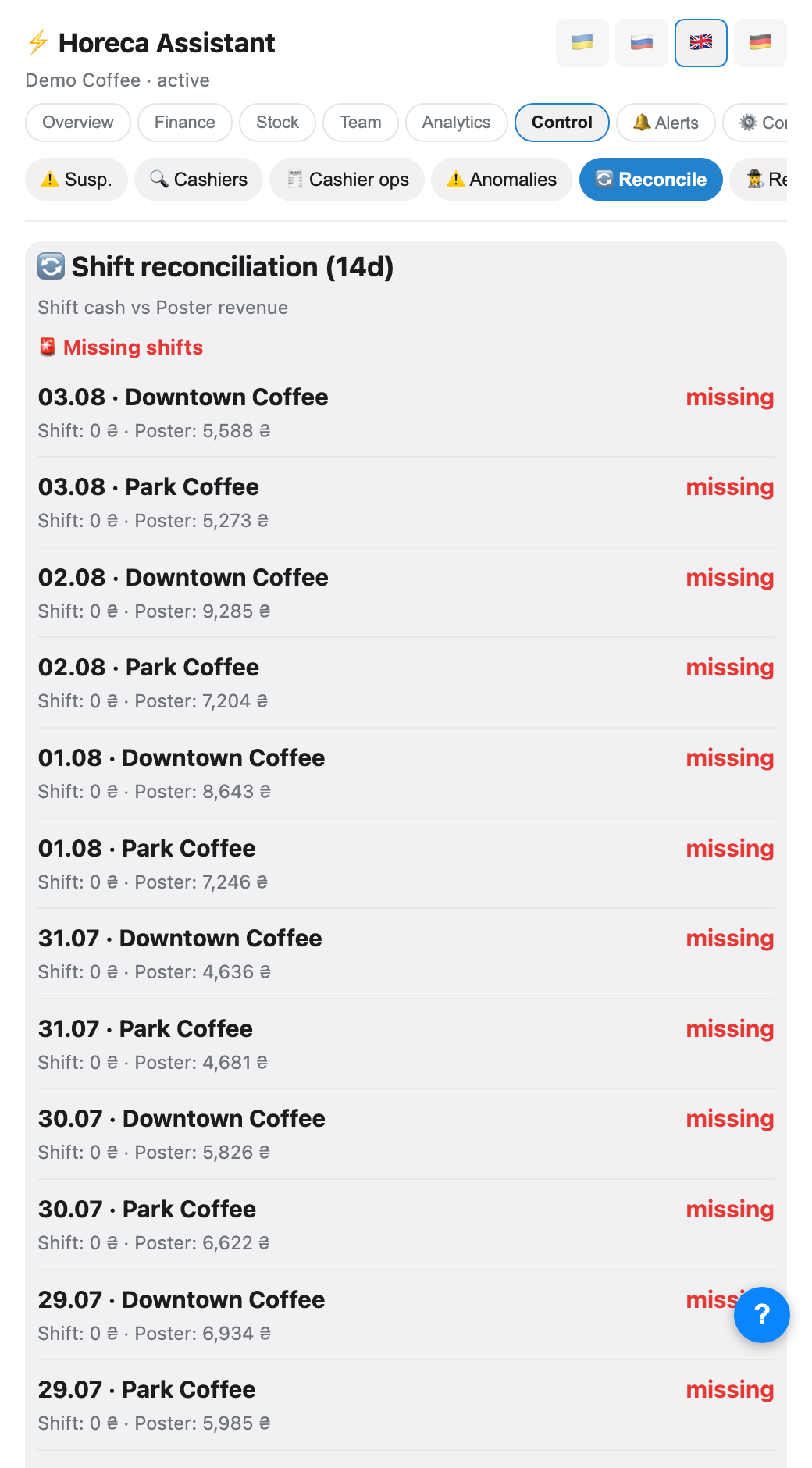
The 🔄 Reconciliation tab covers 14 days per venue: the till the barista reported in the shift versus Poster's revenue for the same day. Four states: 🚨 not submitted (Poster has revenue but no shift report exists), 📉 shortage (the till is below Poster — the main thing to investigate), 📈 surplus and ✅ matched.
Refunded receipts are excluded from Poster's daily figure — a refund never creates a false "shortage".
Refunded receipts are excluded from Poster's daily figure — a refund never creates a false "shortage".
💡 The same check also runs on its own: the "Shift reconciliation" alert pings daily about revenue with no submitted shift, and a one-off till/safe mismatch is caught immediately when a shift report is parsed.
8
Real-time alerts
The screens above are for after-the-fact review. To hear about things immediately, enable the matching toggles in 🔔 Notifications: receipt refund (each as its own message), negative-total receipt, suspicious receipt check (hourly), non-fiscal receipts per shift (creates a task assigned to the barista who closed the shift), daily anomalies and receipt left open. Every alert has its own recipient: the owner's DM, the venue group or a dedicated forum topic.
FAQ
Who sees the "Control" group?
Five tabs sit behind the
tab_finance right: by default the owner, admin, manager and accountant. 🕵️ Receipts is the exception — owner and admin only, the right cannot be granted.The "Receipts" screen is empty though deletions definitely happened
Most often the "Receipt audit" alert toggle in Notifications is off: without it the nightly scan does not run and the history stays empty. Switch it on and wait for the next night.
The bot flags a suspicious receipt — now what?
Nothing dramatic right away: open "🧾 Till ops" and "🕵️ Receipts" and check whether it is a one-off or a multi-week pattern for one person. A one-off — forget it; a pattern — a conversation, with the specific receipts in hand.