🔄
Storage transfers and write-offs
Two stock operations the team does from a phone without opening the Poster back office: move items between storages, and record write-offs — right away or via a draft.
1
Transfer storage → storage
The Stock → 🔄 Transfer tab: pick "From storage" and "To storage", tap ➕ and search for items (works for both ingredients and products — products carry a badge). Quantities are typed right in the row. The "Run transfer" button, after a confirmation, writes the operation straight into Poster.
💡 This is one of the few tabs that every role, baristas included, sees by default (the
tab_moving right) — whoever physically carries the milk between venues should be able to log it. If that is too much, switch the right off in "Role permissions".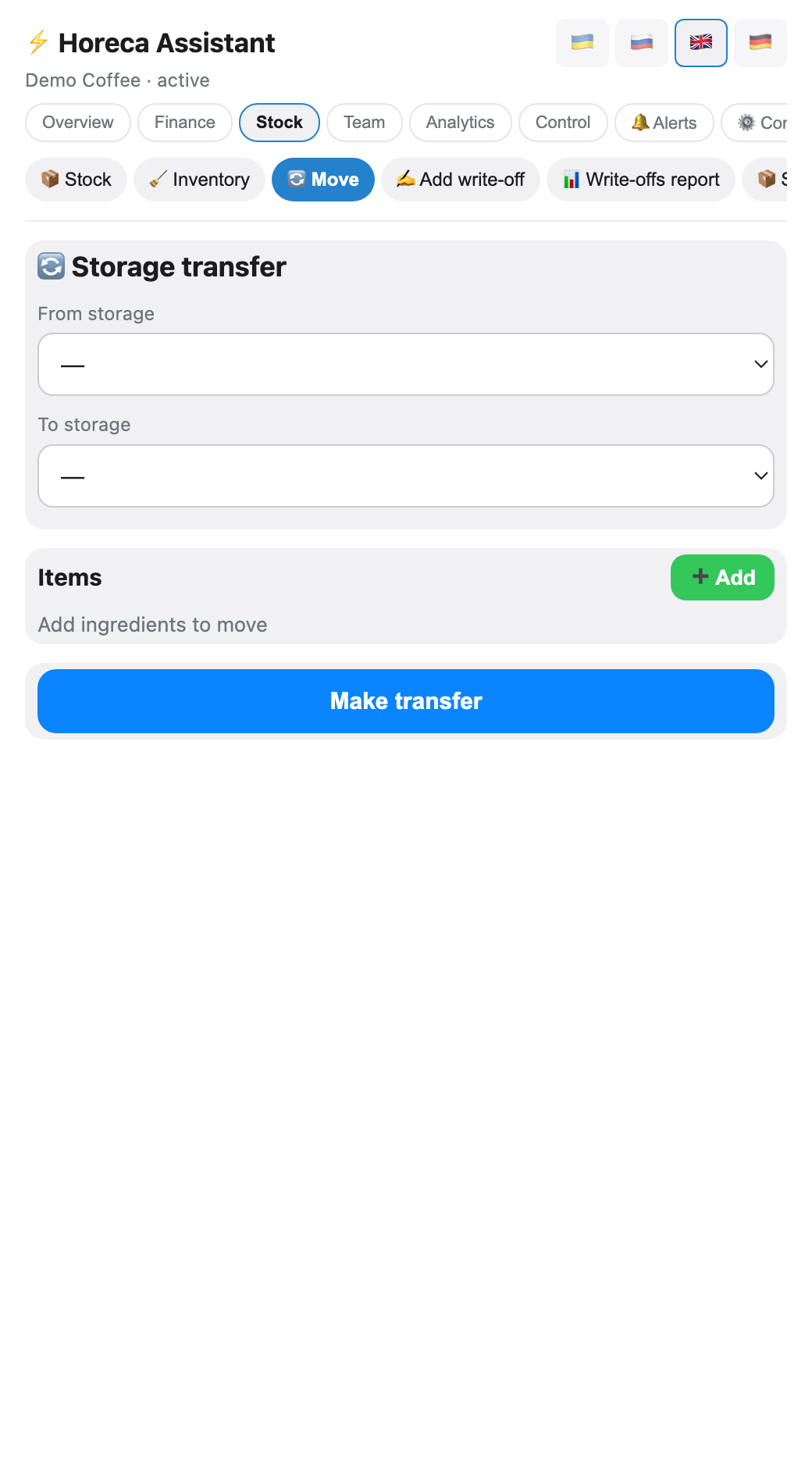
2
Write-offs: the draft
The Stock → ✍️ Write-off entry tab is a form: storage → item (same search picker) → quantity → reason (expiry, damaged… — the reason list comes from Poster) → an optional comment. The ➕ button adds a row to the draft — a company-wide list showing who added what and when.
The draft writes nothing until the owner or admin taps "📤 Push to Poster" — then every row becomes a real write-off. The "🗑 Clear" button resets the draft without writing.
The draft writes nothing until the owner or admin taps "📤 Push to Poster" — then every row becomes a real write-off. The "🗑 Clear" button resets the draft without writing.
💡 Why a draft instead of writing straight to Poster: the barista records the spilt milk the moment it spills, while the owner makes the "book it" decision in one batch after reviewing the list. A mistaken row is removed with the ✖ before pushing.
⚠️ Anyone with the
tab_writeoff right can add to the draft (by default the manager and senior barista), but "Push to Poster" and "Clear" are owner/admin only: the Poster write is irreversible — there is no API to delete a write-off.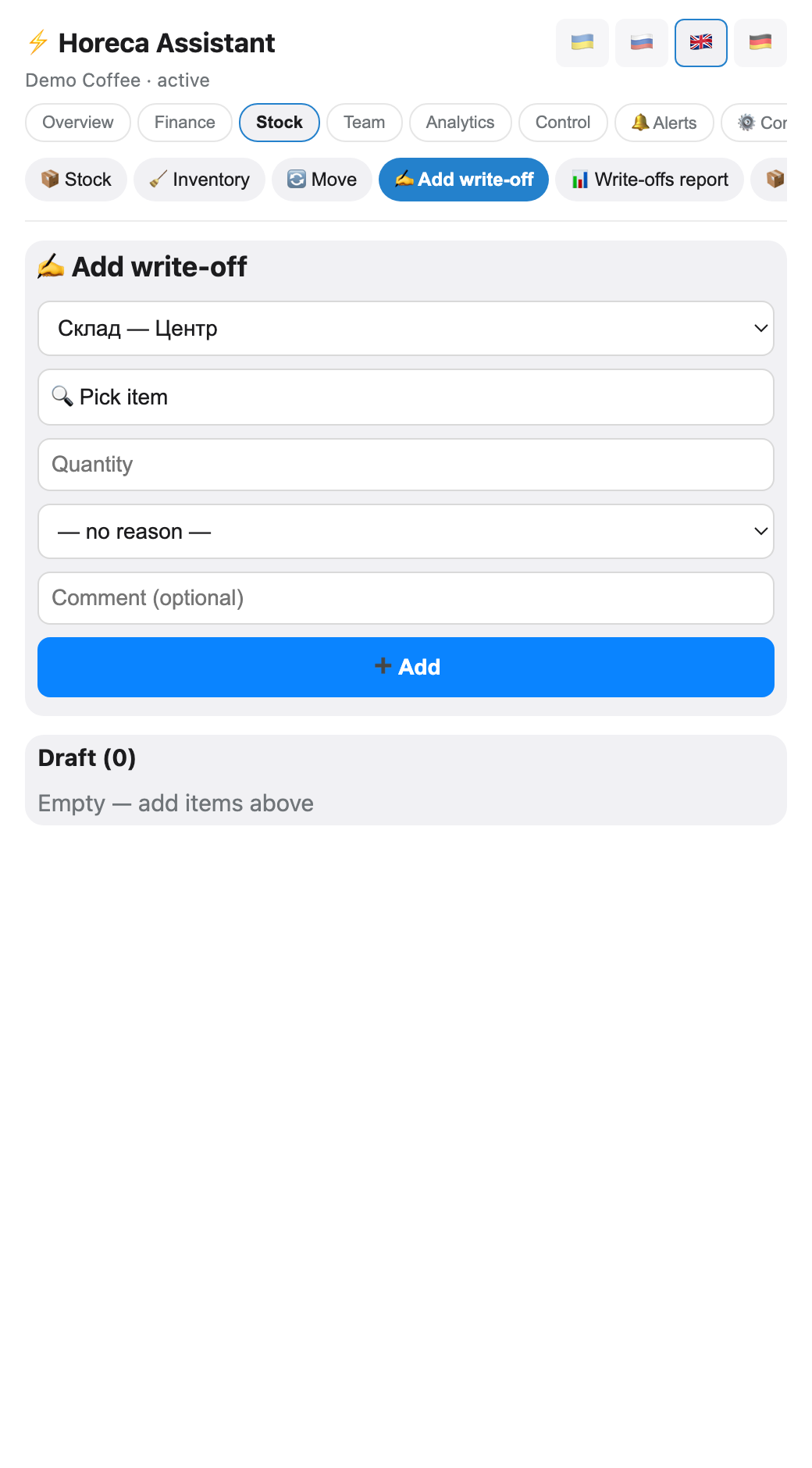
3
The write-offs report
A separate tab, Stock → 📊 Write-off report, shows facts rather than drafts: every write-off from Poster over 7/30 days or month-to-date (switchable at the top), with reasons and amounts. The same report lives in the bot:
Monthly write-off totals by reason also flow automatically into the investor report.
/writeoffs, and /writeoffs Downtown 01.07-15.07 exports a CSV for one venue over any period.Monthly write-off totals by reason also flow automatically into the investor report.
FAQ
Can a transfer or write-off be undone?
Not from the bot: it never deletes an operation already written to Poster (Poster has no delete API). Corrections have to happen in the Poster back office itself — which is exactly why the draft is worth reviewing before pushing.
Why does a barista see transfers but not write-offs?
The default rights differ:
tab_moving is on for everyone (moving stock is physical shift work), tab_writeoff only for the manager and senior barista. If your shifts record write-offs too, grant the barista tab_writeoff in "Role permissions" — they can fill the draft, while pushing to Poster still stays with the owner/admin.Where do the write-off reasons come from?
It is Poster's own reference list — the same one as in the back office. Add a reason in Poster and it appears in the bot's form. The "— no reason —" row is valid too.