💰
Money: markup, break-even, profit
What the bot shows about money and which numbers to read first to catch a problem before month end.
1
Break-even
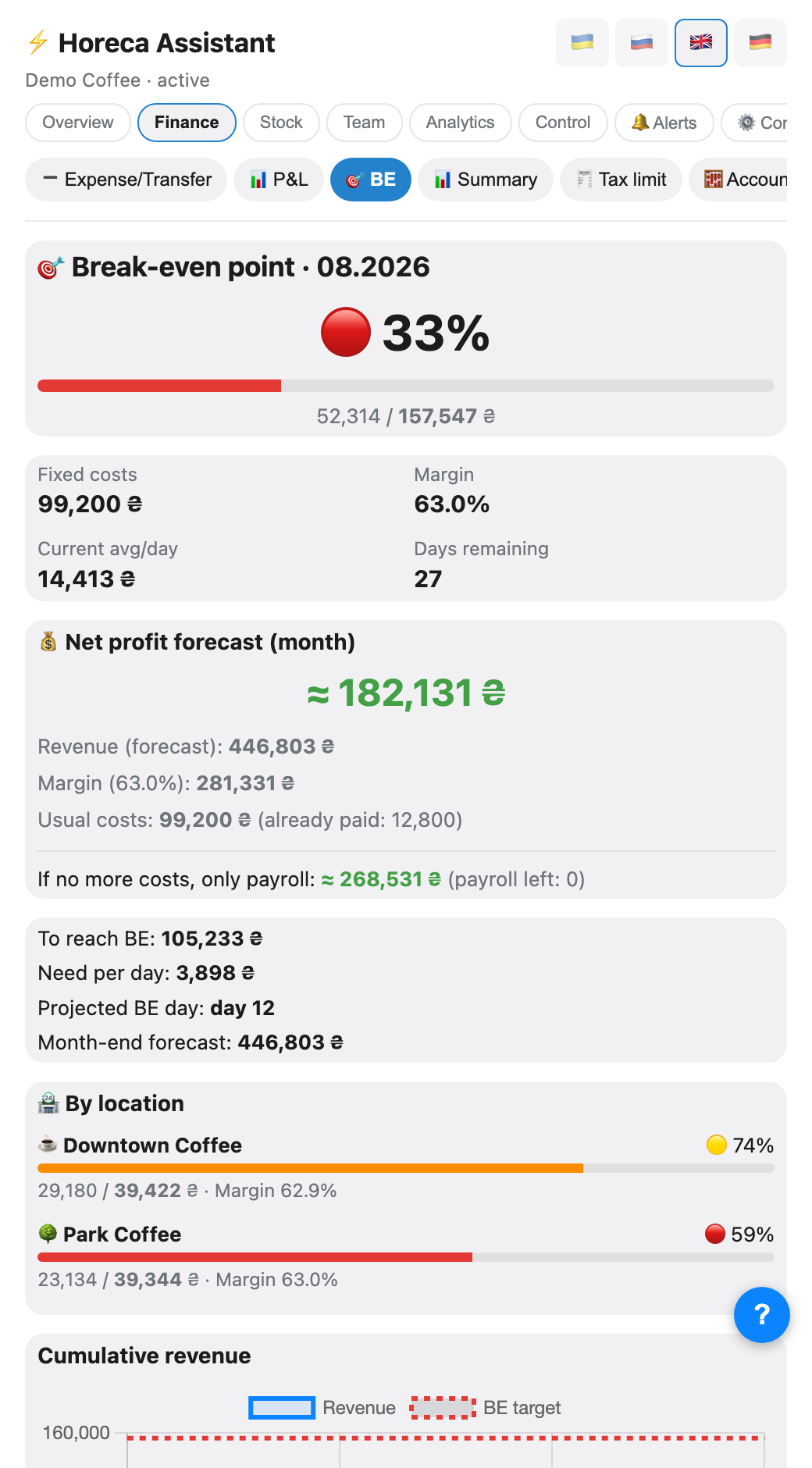
How much you must earn this month to break even: last month's fixed costs divided by your margin. At the top — a status ring (✅/🟡/🔴) and a progress bar; below it — fixed costs, margin, the current daily average and days remaining.
Further down is a net-profit forecast for the month, plus a separate <i>"if there are no more expenses, only payroll left"</i> scenario — so you see the floor, not just the optimistic number.
Further down is a net-profit forecast for the month, plus a separate <i>"if there are no more expenses, only payroll left"</i> scenario — so you see the floor, not just the optimistic number.
💡 With several venues, a breakdown and a separate chart per venue appear below the main one — each venue's fixed costs are derived from the Poster accounts linked to it specifically.
With several companies, a combined summary (with subtotals per currency) is available under the "All companies" tab (Overview), without switching your active company. Tapping a company expands its full break-even and per-venue breakdown.
With several companies, a combined summary (with subtotals per currency) is available under the "All companies" tab (Overview), without switching your active company. Tapping a company expands its full break-even and per-venue breakdown.
2
Net profit
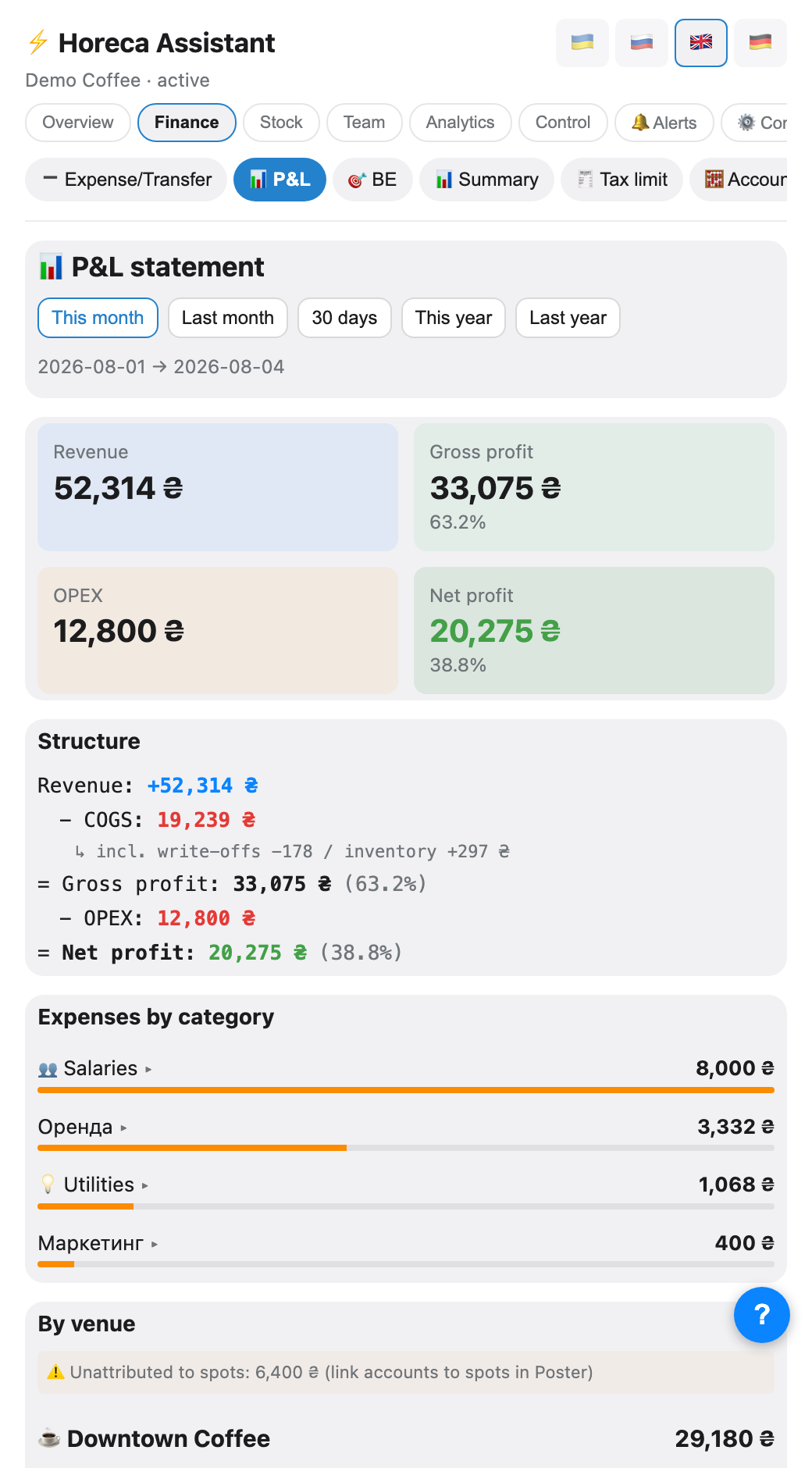
/profit for the month: revenue minus cost of goods and every Poster expense category (payroll included). You can pass a month: /profit 06 or /profit 06.2026.💡 For an honest number, record expenses in Poster (rent, utilities, subscriptions) — that is where the bot reads them from.
3
Markup control
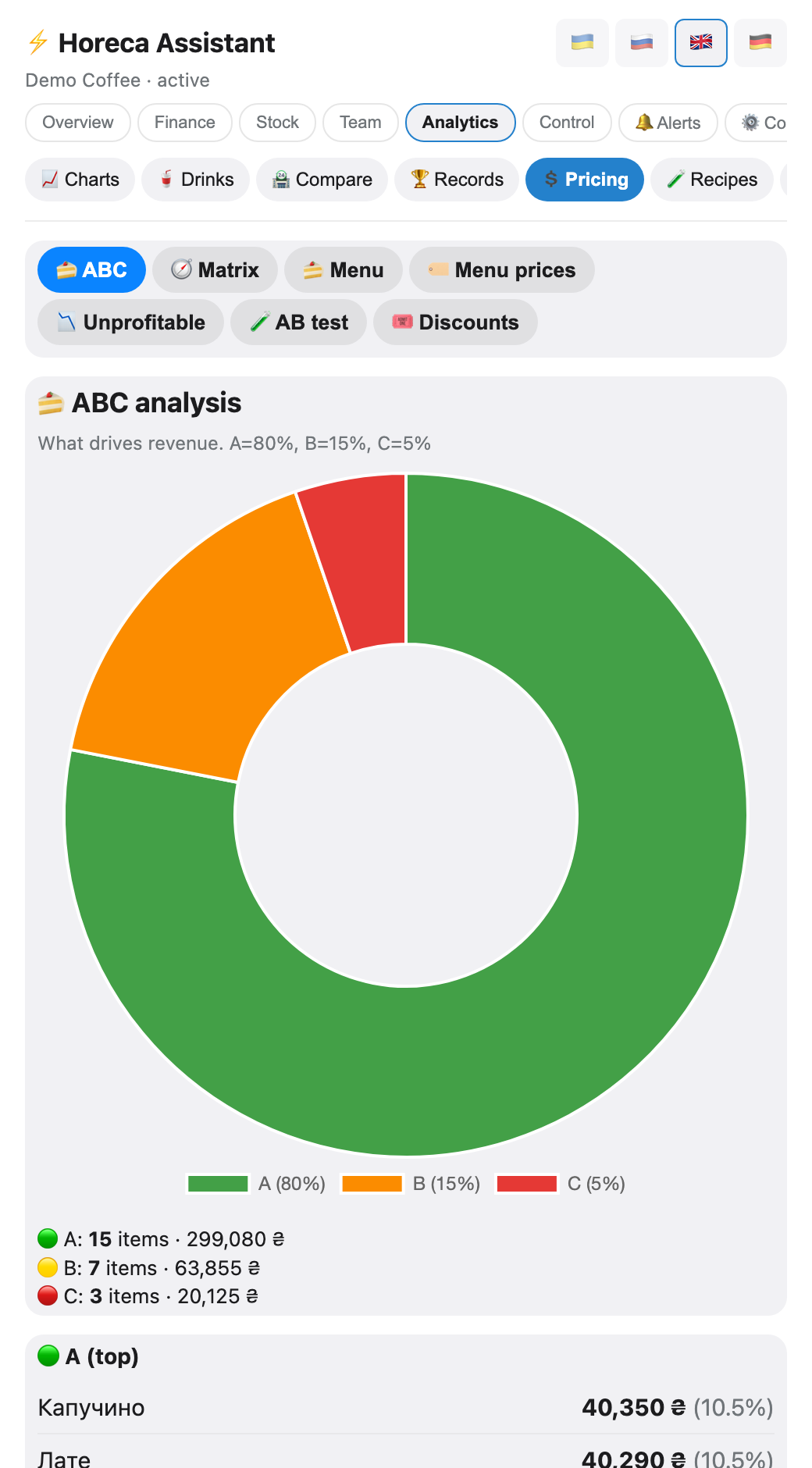
The bot watches items with too low or too high markup and sends a list with buttons: change the price straight from the alert, or exclude the item from checks.
If an item has different costs across storages, the bot flags that separately — it usually follows a delivery at a different price or a transfer.
If an item has different costs across storages, the bot flags that separately — it usually follows a delivery at a different price or a transfer.
4
Monthly goal
Set a revenue goal and, separately, a net-profit goal (⚙️ on the "Monthly goal" widget on the dashboard — Overview → Today). The bot shows the daily pace needed, the current pace and an end-of-month forecast.
For revenue the pace uses COMPLETED days, so today's partial day does not skew it.
For profit both "needed" and "current" are per REMAINING day — otherwise the two numbers are not comparable. Rent and other one-off payments clear in full at the start of the month, so cumulative profit divided by elapsed days would read four times lower than reality and would climb toward month-end without anything changing in trade. Instead: <i>current = daily gross margin − daily payroll − fixed costs not yet paid, divided by the remaining days</i>. The monthly volume of fixed costs comes from last month, so rent that has not cleared yet does not inflate the forecast.
Payroll itself is attributed to the month it was earned in, not the month it was paid — the line under the progress bar shows that adjustment.
For revenue the pace uses COMPLETED days, so today's partial day does not skew it.
For profit both "needed" and "current" are per REMAINING day — otherwise the two numbers are not comparable. Rent and other one-off payments clear in full at the start of the month, so cumulative profit divided by elapsed days would read four times lower than reality and would climb toward month-end without anything changing in trade. Instead: <i>current = daily gross margin − daily payroll − fixed costs not yet paid, divided by the remaining days</i>. The monthly volume of fixed costs comes from last month, so rent that has not cleared yet does not inflate the forecast.
Payroll itself is attributed to the month it was earned in, not the month it was paid — the line under the progress bar shows that adjustment.
5
Several venues under one sole proprietorship
The 🧾 Sole-proprietor progress tab shows the annual revenue-limit gauge (Ukraine's 2nd tax group in 2026: ₴7,211,598). If several venues are registered under the same sole proprietorship, give them the same name in ⚙️ config and the bot tracks the limit for all of them together, not separately.
The same screen lets you add "other turnover" — a starting sum for the year or income outside Poster: it counts toward the limit without distorting the P&L.
The same screen lets you add "other turnover" — a starting sum for the year or income outside Poster: it counts toward the limit without distorting the P&L.
💡 A smaller, related feature nearby — "🏷 Account projects" on the "Accounts" screen: tag Poster accounts with your own label ("Coffee shops", "Rent"…) and see a balance subtotal per group.
6
Accounts, cash collection and the safe link
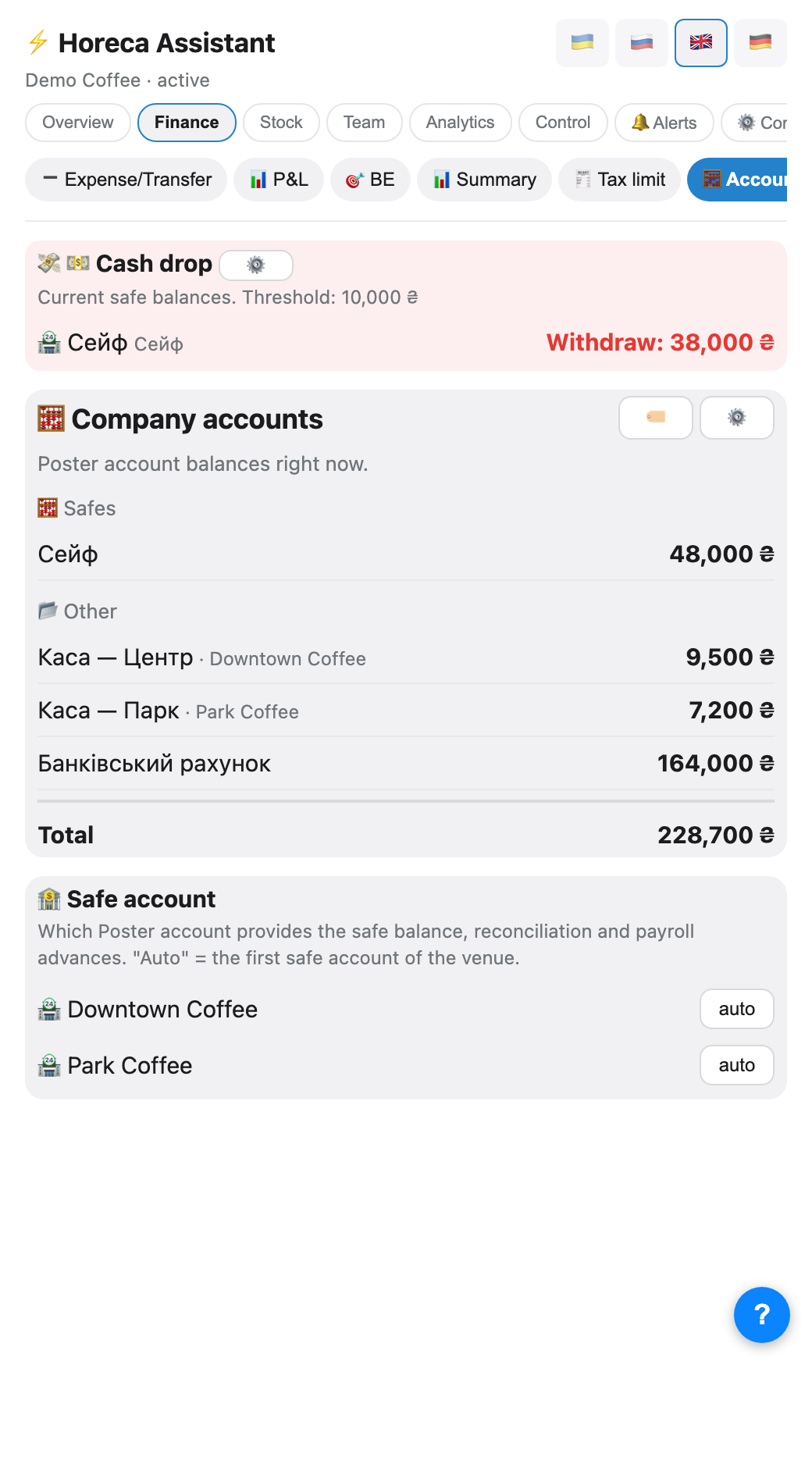
The Finance → 🧮 Accounts tab has three blocks. At the top, only when there is something to collect, a "Cash collection" banner: safes over the threshold (10,000 by default) with a "Collect" amount. Next — every Poster account balance right now, split into "Safes" and "Other". At the bottom — "Safe account": which account counts as the venue's safe for shift reconciliation and advances ("auto" = the venue's first safe account).
💡 If the safe reconciliation keeps not matching when a shift is parsed, check here first whether the right account is linked. The collection threshold is changed right here with the ⚙️ button.
7
Till control
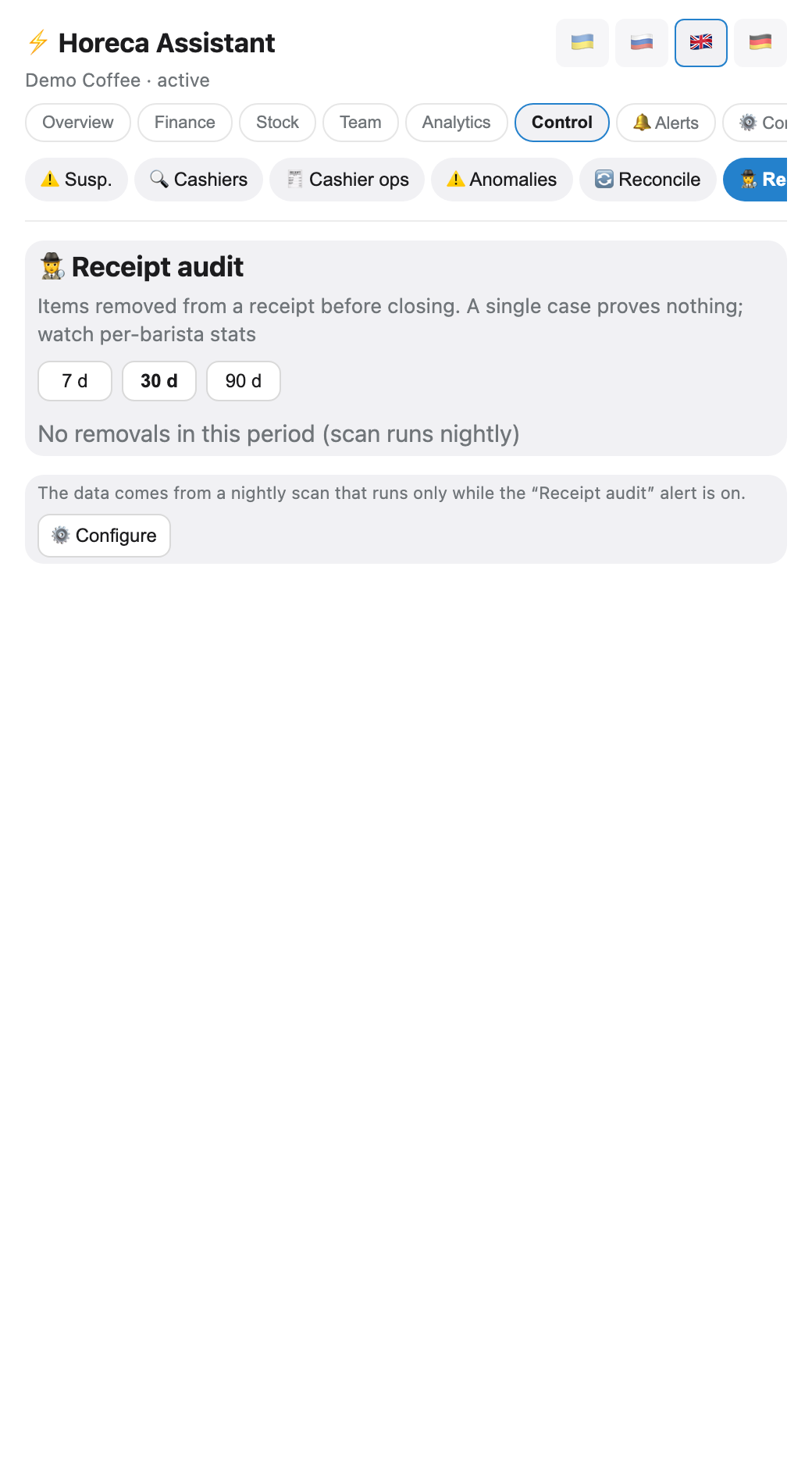
Separately from profit, the bot watches oddities at the till: items deleted from receipts, non-fiscal receipts, refunds, suspicious discounts, safe discrepancies. Only the owner sees these reports.
When an alert creates a task for a venue (say, from a non-fiscal receipt), the person tagged as responsible is the barista who closed the shift — not the till login in Poster: those are different things, and several baristas can share one POS login.
When an alert creates a task for a venue (say, from a non-fiscal receipt), the person tagged as responsible is the barista who closed the shift — not the till login in Poster: those are different things, and several baristas can share one POS login.
⚠️ A single odd receipt is not theft. Look for a pattern for one person across several weeks.
FAQ
Why did break-even change by itself?
It is derived from last month's fixed costs and the current margin. If either changes, the threshold moves.
The shop has no data for last month
Then there is nothing to derive the threshold from — the bot shows «—» instead of inventing a number. After a month of data it appears.