📝
How to write a shift report
The format the bot reliably understands: date, till, safe, cash, who worked, expenses and income.
1
Where to post
Into your venue group bound as 💵 Shifts/Payroll. If you use a forum, post into your own company's «Shifts» topic.
2
Message template
Copy it and fill in your numbers. The order of lines can vary.
Every line is explained below in this guide, and the bot can always show the template itself: the
22.05
Till: 12450
Safe: 18200
Cash: 4500

Barista: Pol 9-21
Helper: Julia 14-21

Expenses:
300 taxi to the warehouse
120 cleaning supplies

Income:
500 supplier refund
Every line is explained below in this guide, and the bot can always show the template itself: the
/format command.🤖
Coffee shop — Downtown
💸 Payroll and shifts
22.05
Till: 12450
Safe: 18200
Cash: 4500
Barista: Pol 9-21
Helper: Julia 14-21
Expenses:
300 taxi to the warehouse
120 cleaning supplies
Income:
500 supplier refund
Till: 12450
Safe: 18200
Cash: 4500
Barista: Pol 9-21
Helper: Julia 14-21
Expenses:
300 taxi to the warehouse
120 cleaning supplies
Income:
500 supplier refund
📨 Shift parsed: 22.05 · Downtown
💰 Till: 12,450
🔐 Safe: 18,200 — matches Poster
👤 Barista: Pol · 🤝 Julia
💰 Till: 12,450
🔐 Safe: 18,200 — matches Poster
👤 Barista: Pol · 🤝 Julia
3
Required fields
• Date —
•
DD.MM (or DD.MM.YYYY)•
Till: N — revenue for the day⚠️ Without a date or a till amount the message is not treated as a shift report — the bot will skip it.
4
Recommended fields
•
•
• Barista/helper names with hours — format
•
•
Safe: N — safe total at the end of the shift (checked against Poster)•
Cash: N — how much cash was taken• Barista/helper names with hours — format
9-21•
Expenses: block — lines of «{amount} {description}»•
Income: block — lines of «{amount} {description}»5
The bot is forgiving
You can write it with or without diacritics, with spaces in numbers (
17 910.20), comma or dot as separator. Made a typo? Just edit the message — the bot re-reads it and updates the shift.💡 The bot can always show the full format itself — the
/format command.6
What happens next
The bot calculates the shift pay, reconciles the safe against Poster and sends the owner a breakdown. If it cannot tell who the barista was, it asks with buttons instead of staying silent.
🤖
Horeca Assistant
⚠️ Could not tell who the barista was
📅 22.05 · 🏪 Downtown
💰 Till: 12,450
Pick the barista:
📅 22.05 · 🏪 Downtown
💰 Till: 12,450
Pick the barista:
PolJuliaVika
7
The shift is already in the app
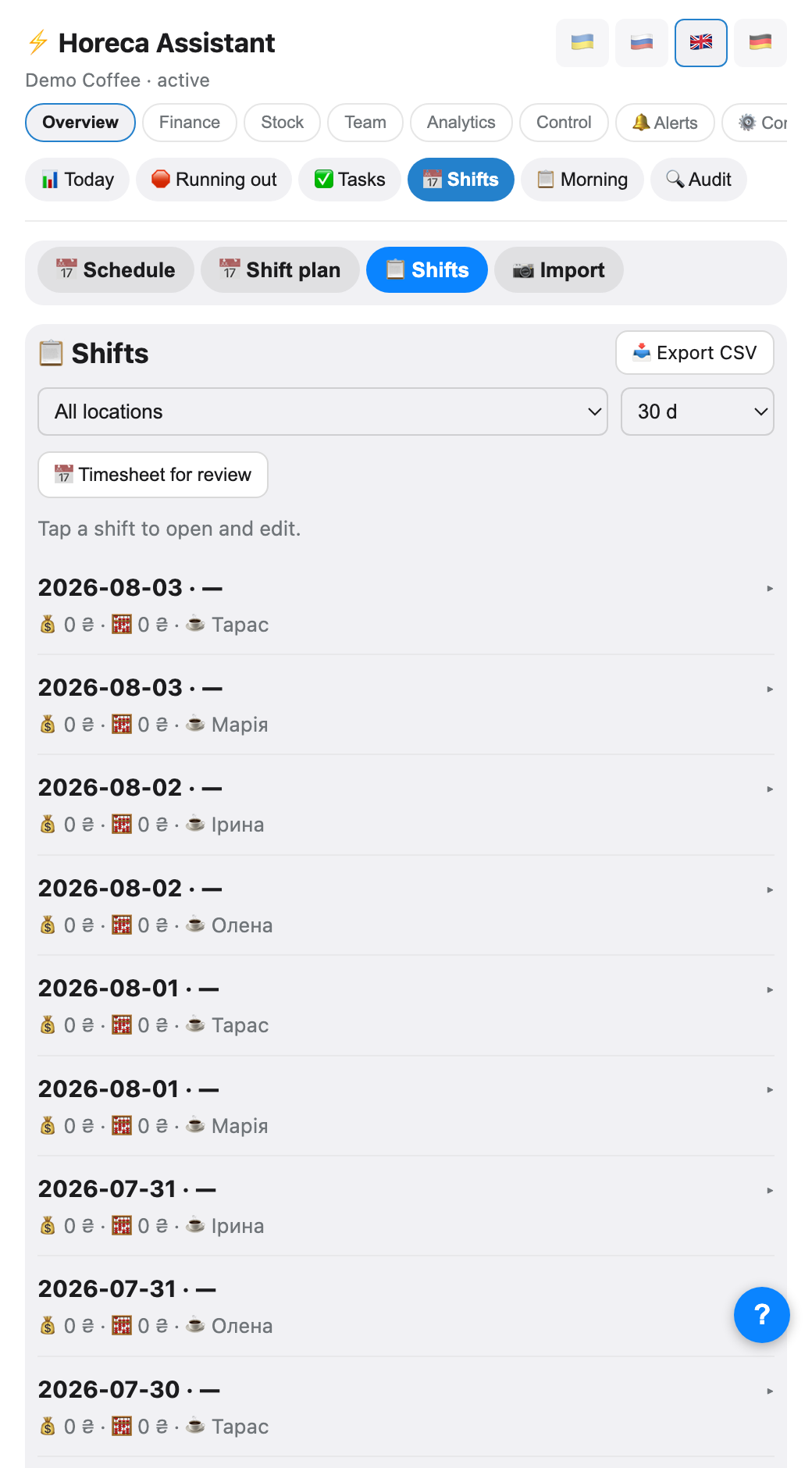
A parsed shift shows up immediately under Overview → 📅 Shifts: date, venue, till, who worked. Tapping a shift opens the full detail: till, safe, cash — plain number fields, barista — a dropdown (pick a new one and the shift is reassigned), helpers — a separate add/remove list, and expenses — each line is editable (amount + note) or removable.
💡 The barista and helper pickers only list active people with payroll cards for THIS venue. If someone is missing, add their card in "👥 Staff" first.
FAQ
I posted a report and the bot is silent
Three reasons by frequency: (1) the chat is not bound as 💵 Shifts/Payroll; (2) in a forum it went to the wrong topic; (3) the message has no date or till amount.
Wrong amount — do I repost the whole shift?
No. Just edit the same message — the bot re-reads it and rewrites the shift.
The helper worked half a shift
Add the hours:
Helper: Julia 14-21. The bot applies the partial rate.